Boomplay: Music & Live Stream
- 4.3
- Rating
- 100.00M
- Installs
- Free
- Price

 Analysis by App-foxy
I spent time with Boomplay: Music & Live Stream as a music and audio app, paying particular attention to how comfortably it works for different people and in different situations. My overall impression is that it is most appealing when you want a large listening service that can also keep music available offline, rather than a minimalist player built only around files already stored on your phone. It feels designed for regular discovery, quick playback, and repeat listening, with the extra convenience of downloading tracks for moments when a connection is unreliable.
That convenience matters in ordinary life. I can imagine using it before a commute, while preparing for a trip, or during a break in a place where mobile data is slow. The app is free to start, although in-app purchases range from small optional amounts to much larger ones, so I would pay attention to any purchase screen before confirming anything. It is rated for Teen users, runs on Android from version 6.0 onward, and the current version is 7.7.61.
How Boomplay feels to read and navigate
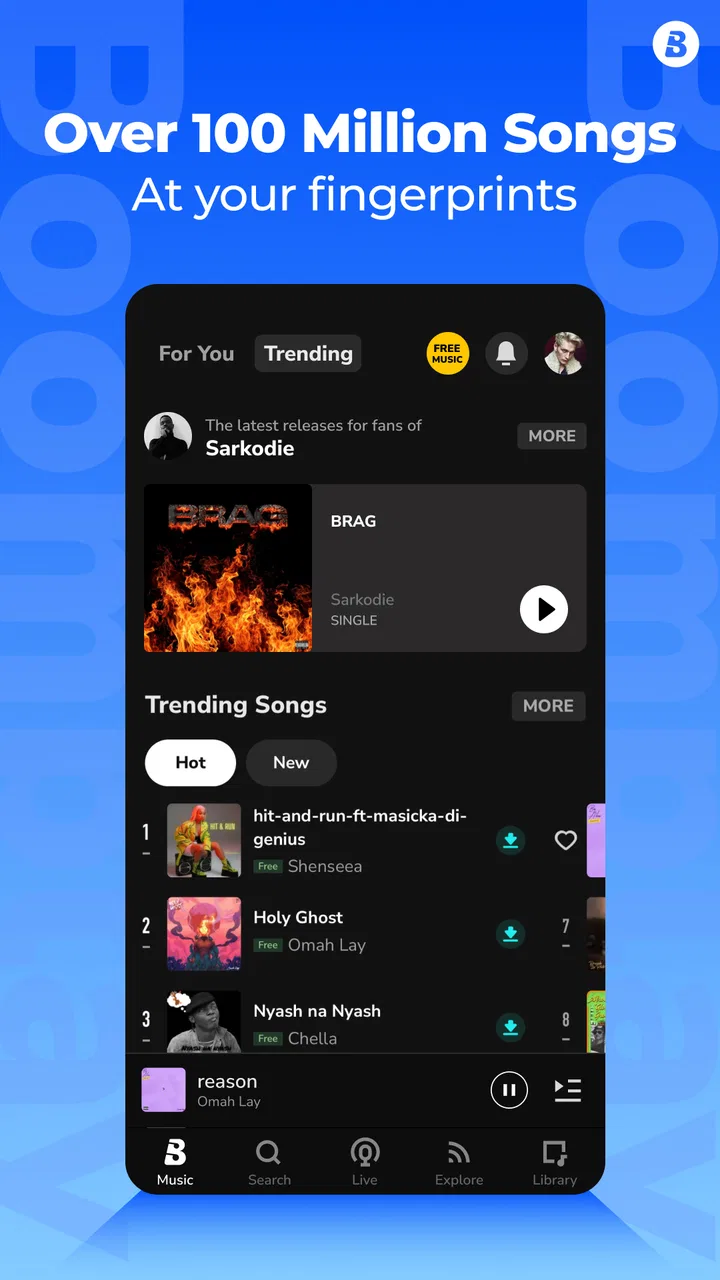
The first thing I notice in a music app is whether I can reach a song without having to think too much. Boomplay’s appeal is its combination of a broad music catalog, discovery-oriented browsing, and an offline listening purpose. That makes it more useful than a basic folder-based player, but it also means there is more to scan. Someone who prefers a very quiet interface with only albums, artists, and local files may find the experience busier than expected.
You May Also Like

 Blood Strike: 2.5 Anniversary
Blood Strike’s Loadouts Turn Every Drop Into a Tactical Gamble
A close look at Blood Strike’s custom loadouts: how fast access to signature weapons reshapes its battle royale rhythm, rewards preparation, and narrows the gap between fights.

 Pandora - Music & Podcasts
Pandora’s Music Is Easy to Start, but Harder to Recover
Pandora’s strength is its low-effort path from a seed to a station. Its weak spot is how much confidence it asks you to place in connection, setup, and quiet recovery.

 8 Ball Pool
 Is Built on Rivalries, Rematches, and Routine
A close look at the rivalries, rematches, shared routines, and unanswered safety questions that turn a quick pool match into a persistent mobile community.

 Samsung Music
’s Quiet Strength Is Playing What You Already Own
Its reach comes less from spectacle than from dependable access to a personal library. That simplicity is both the app’s strongest retention engine and its ceiling.

 AccuWeather: Weather Radar
AccuWeather Review: A Quick, Clear Forecast for Everyday Decisions
For everyday plans, the best forecast is the one you can understand quickly. AccuWeather makes rain timing, radar, and local conditions easy to act on, with a few trade-offs.

 Hill Climb Racing
Why Hill Climb Racing Still Turns Crashes Into One More Run
A tiny car, a bumpy hill and one more upgrade: Hill Climb Racing keeps resurfacing because its simple chaos makes every near-miss feel personal.
More From Our News Desk
View All News


For me, the best way to use it is to establish a simple routine. I would search for an artist or track, listen briefly, save the music I genuinely want to keep close, and then return to those selections instead of endlessly browsing. This reduces the amount of visual and mental sorting required. It also avoids a common problem with streaming-style apps: spending more time choosing than listening.
The text and artwork are central to the experience. That is helpful when you identify music by album cover or artist name, but it can be less comfortable for anyone who struggles with dense screens, small labels, or rapidly changing recommendations. I would not assume that every part of the interface will be equally easy to read at a glance. A user who relies on larger system text should check how the app responds on their particular phone, because readability can vary with display size, font settings, and the amount of information presented at once.
Search is especially important for users who do not want to browse visually. Typing an exact artist or song title can be a more dependable route than moving through rows of suggestions. I also recommend keeping track of where downloaded music is surfaced inside the app, rather than treating the download action as the end of the workflow. Offline listening becomes much easier when you know how to return directly to saved material instead of repeating the search each time.
One useful habit is to prepare an offline group for a specific context rather than downloading randomly. For example, I would create a set for a journey, a quiet evening, or background listening while doing chores. This has an accessibility benefit as well as a practical one: fewer decisions are needed later, when you may be tired, distracted, or unable to look at the screen for long.
Navigation is also affected by language and familiarity. Music titles, artist names, and categories may not always follow the same language conventions, so searching by a distinctive part of a title can work better than relying on a full phrase. If someone has limited confidence with unfamiliar interfaces, a family member could help with the initial setup and offline preparation, leaving the listener with a much simpler daily task: open the app and choose from known music.
Making listening easier for people with different reading needs
Boomplay is not only about reading menus; it is also about recognizing content through sound, cover art, and artist identity. That can suit people who remember music visually or aurally better than they remember written categories. At the same time, someone with low vision may find cover-based browsing less useful and may prefer direct text search, device magnification, or spoken assistance provided by the operating system.
I would test the app with the phone’s own display settings before committing to it as a daily tool. Increase text size, try a stronger contrast setting if available on the device, and check whether important labels remain understandable. If larger text causes buttons or titles to crowd each other, a less visually demanding workflow may be better: search for a familiar artist, select a known track, and avoid crowded discovery pages.
For users who have difficulty processing lots of choices, the app’s large music offering can be both a strength and a weakness. More choice means a better chance of finding something suitable, but it can also create decision fatigue. I find that a short personal queue is more manageable than repeatedly opening recommendations. The practical lesson is simple: use the discovery side when you have energy, then rely on a prepared offline selection when you need calm and predictability.
Motor, hearing, and sensory considerations
Most music apps ask for repeated taps: choose a result, start playback, open a menu, save a track, and possibly download it. That is manageable for many people, but it can be tiring for users with tremors, limited dexterity, or pain in their hands. Boomplay works best in those circumstances when the listener prepares music in advance. A few deliberate actions at home can replace many small interactions later.
I would avoid trying to build an offline collection while walking, traveling, or carrying other items. The process is easier when the phone is stable and you have time to confirm the correct song. This is a small but meaningful distinction: the app can support low-effort listening, but only after the user has invested some effort in organizing it.
Accidental taps are another practical concern with any content-heavy interface. When several controls and artwork elements are close together, a person with reduced precision may open the wrong item or start an unintended action. I would use a familiar artist or playlist as the starting point and keep the phone’s touch settings comfortable. A protective case with a raised edge can also make holding the device easier, although that is a phone accessory rather than a Boomplay feature.
For people who are deaf or hard of hearing, the value of a music app naturally changes. Boomplay is centered on audio, so it cannot replace the experience of hearing music. Still, the written identity of tracks and artists can make the catalog useful for discovering performers, following releases, and organizing music even when listening volume is limited. Anyone who depends on visual feedback should pay attention to whether playback state is clear on their device and whether they can confirm selections without relying only on sound.
People with tinnitus or sound sensitivity may need a more cautious routine. I would begin at a low volume, avoid making rapid volume changes, and prepare music that feels predictable rather than jumping between recordings with different intensity. The app’s offline ability is helpful here because it lets you choose material in a controlled moment instead of searching in a noisy or stressful environment.
For blind users or people who navigate mainly through spoken feedback, the important question is not simply whether the app plays music, but whether labels and controls are exposed clearly enough to the phone’s accessibility tools. I would test search, play, pause, download, and returning to saved content separately. Those are the actions that determine whether the app is practical. If one of them is difficult to identify or activate, the entire offline workflow can become frustrating even when playback itself works well.
Voice control can reduce the number of physical taps in some situations, but I would treat it as a device-level aid rather than assume that every Boomplay action will respond perfectly. The safest approach is to test the exact tasks you use most often. A person who only needs to start a prepared selection may have a much easier experience than someone who wants to search, filter, download, and manage a library entirely without touch.
Using the app in real-world situations
The clearest everyday use case is a commute through areas with inconsistent service. I would connect to reliable Wi-Fi beforehand, find the music I want, and download enough for the journey. Once prepared, the phone can become a straightforward player instead of a constant search for signal. This is also useful for people who share a limited data plan or who prefer not to depend on mobile coverage while traveling.
Offline listening is not only about saving data. It reduces uncertainty. If you are anxious about losing connection, easily distracted by loading screens, or unable to interact with the phone repeatedly, having music ready in advance makes the experience more predictable. For a caregiver preparing a device for someone else, this could mean arranging a small, recognizable selection before handing the phone over.
There is a trade-off, though. Downloads take planning and occupy storage, even when the app makes the process feel simple. I would not download an entire catalog without a reason. Instead, I would begin with a few albums, artists, or listening groups and review the collection occasionally. This is particularly important on older phones, where free storage and overall responsiveness may already be limited.
Boomplay can also suit listeners who enjoy moving between familiar music and new discoveries. The discovery side is useful when you want to find something beyond your existing collection, while offline playback is better when you already know what you want. These are two different modes, and I think the app is strongest when you treat them separately: explore during relaxed moments, then create a dependable listening set for busy ones.
For a shared household phone, I would be more careful. A music app can be easy to hand to another person, but recommendations and saved choices may become mixed together. If several people use the same device, a simple agreed routine is better than assuming the app will perfectly separate everyone’s preferences. This matters for children and older relatives in particular, because an uncluttered set of familiar choices can be easier than a constantly changing home screen.
The Teen content rating is worth keeping in mind when deciding who should use it. I would not treat a music catalog as automatically suitable for every younger listener. Parents or guardians should remain involved in choosing music and deciding whether the app fits the household’s expectations. The rating does not remove the need for personal judgement, especially when the app is used for discovery rather than only for a carefully selected collection.
Where it compares well with familiar alternatives
Compared with a basic local music player, Boomplay offers a much broader route to finding music and does not require you to begin with files already stored on the phone. That is its main advantage for someone whose collection is small or scattered. A local player can feel cleaner and more predictable, however, especially for listeners who already own their music and want no discovery layer, account-style browsing, or purchase prompts.
Compared with a typical streaming service, its offline focus is particularly attractive for people who plan around connectivity. The exact day-to-day experience will depend on the music you seek and how you prefer to organize it, but the central appeal is clear: prepare tracks when connected, then listen later. A more established alternative may be preferable for someone who prioritizes a highly polished cross-device library, a very specific recommendation system, or a familiar interface shared across several devices.
There is also a difference between “I want every part of my collection under my control” and “I want convenient access to a large music service.” Boomplay is closer to the second use case. If you need meticulous file management, unusual audio formats, or a player built around folders and local metadata, I would choose a dedicated local solution instead. If you want discovery plus the ability to keep music ready for offline moments, this app makes more sense.
Barriers that still affect the experience
The biggest barrier is the amount of attention the app can demand before it becomes effortless. A person with limited vision, reduced dexterity, cognitive fatigue, or sensitivity to clutter may need to spend time learning a reliable path through search, playback, and downloads. That does not make the app unusable, but it means the first session should be treated as setup time rather than as a quick one-minute installation.
Another barrier is the difference between access to music and control over the listening environment. Finding a track may be easy, but controlling what appears next, what is saved, and what remains visible can require more decisions. I would recommend a deliberately small offline collection for anyone who becomes overwhelmed by too many options. The app’s scale is useful only when it remains manageable.
Purchase prompts can also create friction. The app is free, but optional in-app purchases are available, with individual items spanning from $0.49 to $299.99. That is a wide range, so I would use device purchase protections and read each confirmation screen carefully. This is especially important when a phone is shared with a child or with someone who may have difficulty distinguishing free access from paid extras.
Older devices deserve a realistic test. The minimum operating system is Android 6.0, but meeting that requirement does not guarantee that every phone will feel equally quick or comfortable. On an older handset, I would check the speed of search, the ease of scrolling, and how smoothly offline playback starts. If those basic actions feel sluggish, a simpler local player may provide a better experience even if it offers fewer discovery options.
People who need highly consistent accessibility behavior should test the exact features they depend on before moving their whole music routine into the app. That includes enlarged text, spoken navigation, touch accuracy, and the ability to identify playback controls. I appreciate that Boomplay can support practical preparation and offline listening, but I would not describe it as automatically accessible for every ability or every assistive setup.
The app’s popularity does provide some reassurance that it has broad appeal. It has passed 100 million installs, carries a 4.3 average from around 996 thousand ratings, and comes from Transsnet Music Limited. Those figures suggest a substantial user base, but they do not tell me whether the interface will suit a particular reader, hearing profile, motor ability, or phone. Personal testing remains more meaningful than popularity when accessibility is the deciding factor.
My inclusive verdict after using Boomplay
I recommend Boomplay most readily to people who want music discovery and offline listening in the same place, especially those who regularly deal with weak connectivity, limited mobile data, or a need for predictable playback. Its strongest accessibility-related quality is not a specialized promise; it is the ability to prepare music ahead of time and reduce interaction when listening matters more than browsing.
I would recommend a different option to someone who already has a carefully organized local collection, wants the fewest possible controls, or depends on assistive navigation that has not been tested with this interface. A dedicated player may be easier to read and operate, while another streaming service may be a better fit for someone who values a particular ecosystem or a more familiar multi-device workflow.
My practical advice is to judge the app in two stages. First, test the basic path: find one known song, start it, pause it, and return to it. Then test the preparation path: download a small selection and play it when disconnected. If both paths feel comfortable with your display, touch, and spoken-assistance settings, Boomplay can become a useful everyday companion. If either path creates repeated confusion, its large catalog will not compensate for the extra effort.
In the end, I see it as a capable free music and audio app with a particularly useful offline angle, not as a perfect solution for every listener. The experience rewards planning, benefits from a tidy personal routine, and asks users to stay alert around optional purchases. For me, the deciding question is simple: does having music ready offline make your day easier? If the answer is yes, and the navigation works with your own accessibility needs, Boomplay is worth trying.
FAQs for Boomplay: Music & Live Stream
01What is Boomplay and what features does it offer?
Boomplay is a comprehensive music streaming app that offers access to millions of songs, videos, and podcasts. It provides features like offline listening, personalized playlists, and live streaming. Users can discover new music through curated playlists and enjoy a seamless listening experience across multiple devices.
02Is Boomplay available for both Android and iOS devices?
Yes, Boomplay is available for download on both Android and iOS platforms. Users can easily find and install the app from the Google Play Store or Apple App Store, ensuring a wide reach and accessibility for various smartphone users.
03Does Boomplay require a subscription for full access?
Boomplay offers both free and premium subscription options. The free version includes ads and some limitations, while the premium subscription, Boomplay Premium, provides an ad-free experience, unlimited downloads for offline listening, and higher-quality audio streaming.
04How does the offline listening feature work on Boomplay?
The offline listening feature on Boomplay allows users to download songs, albums, or playlists to their devices. This means they can enjoy their favorite music without an internet connection. It's particularly useful for those who travel frequently or have limited data plans.
05Are there any social or interactive features on Boomplay?
Boomplay includes social and interactive features that allow users to connect with friends, share playlists, and follow their favorite artists. Additionally, the app offers live streaming sessions where users can engage with artists and other fans, enhancing the overall community experience.
Pros
- Extensive music library with diverse genres.
- User-friendly interface for easy navigation.
- Offline listening available with subscription.
- Regular updates with new features and content.
- High-quality audio streaming for premium users.
Cons
- Free version has frequent ads.
- Limited offline downloads for free users.
- Occasional app crashes reported by users.
- Some features require a stable internet connection.
- Region-specific content restrictions.

Boomplay: Music & Live Stream
Gallery